
How to Prevent Online Banking Fraud and Protect Your Money
Learn how to spot online banking scams, secure your accounts and devices, check transfer details, and act quickly if your credentials or money are compromised.

Prevent online banking fraud by using your bank’s official app or website, protecting your passwords and one-time passwords, and checking every payment request before approving it. Never share an OTP, PIN, password or card security code with someone who contacts you. If you suspect a scam, contact your bank immediately through an official channel and report the incident to India’s cybercrime helpline.
Fraudsters often impersonate bank staff, send links to fake login pages, or pressure customers into approving transactions. Recognising these tactics helps you pause before sharing information or transferring money.
Protecting your account also means securing the phone and email address connected to it. Use device locks, app updates and transaction alerts, and know how to block access quickly if your phone or credentials are compromised.
- Use your bank’s official app or website, and never share an OTP, PIN or password with a caller.
- Check every payment request, recipient detail, currency and fee before authorising a transfer.
- Secure your phone, email and banking app with unique credentials, updates and transaction alerts.
- If credentials or money are compromised, contact your bank immediately and report the incident through official channels.
What Online Banking Fraud Looks Like
Spotting Common Scam Messages
Treat unexpected messages about blocked accounts, failed payments or urgent KYC updates as suspicious until you verify them independently. Scammers may copy a bank’s logo and use convincing language, but a request to reveal an OTP, PIN or password is a clear warning sign. Do not tap the message link or call a number included in it.
- Banks do not need your OTP or PIN to verify your identity over a call.
- Open banking services through the official app or website.
- Read payment requests carefully before approving them.
A fake bank page can look nearly identical to the real one and may ask you to enter login details, card information or an OTP. Check the web address carefully, but remember that a familiar-looking logo is not proof of legitimacy. Open your bank’s app directly or type its official website address yourself instead of following a message link.
Unexpected payment notifications also deserve a pause, especially if they ask you to approve a request to receive money. A collect request or payment approval can authorise money to leave your account; it is not a way to accept funds. Read the amount and recipient shown on screen before confirming any transaction, even one from a known contact.
- Ignore links in unexpected bank messages.
- Never disclose OTPs, PINs or passwords.
- Check the recipient and amount before approval.
Recognising Payment Red Flags
A caller who creates urgency is often trying to stop you from checking their story. They may claim that your account will be frozen, a refund will expire or a transaction must be reversed immediately. End the call, then use the contact details in your bank app, on your card or on the official website to verify the claim.
Be cautious when someone asks you to install a screen-sharing or remote-access app to fix a banking problem. Such tools can let another person see sensitive information or guide you into making a payment. Banks do not need remote access to your phone to receive a complaint, so refuse the request and contact the bank yourself.
If you are paying a Turkish recipient, checking canlı döviz kurları can help you understand the currency conversion shown alongside your bank’s transfer details. Treat any exchange-rate display as a reference, then compare it with the rate and charges your bank confirms before sending money. A rate check does not validate the recipient or make an unfamiliar payment request safe.
How Scammers Get Access to Bank Accounts
Stolen Credentials and OTPs
Scammers gain access when customers enter their credentials on fake pages or disclose them during a fraudulent call. They may pose as bank employees, payment support staff or government officials and ask for an OTP to complete a supposed verification. An OTP can authorise a login or transaction, so share it with no caller, even if the person knows your name or account details.
Password reuse makes one stolen password more damaging. If you use the same password for email, shopping and banking, a breach at one service could help a criminal try to access another. Use a unique, hard-to-guess password for each important account, and change it promptly if you entered it on a suspicious site.
Your email account matters because it may receive bank alerts and password-reset messages. Secure it with a unique password and two-step verification where available, and keep its recovery phone number and email current. If someone takes control of your email, they may be able to intercept security notices or attempt to reset access to other accounts.
- Use a unique password for banking and email.
- Never share an OTP with a caller.
- Change credentials entered on a suspicious page.
Device and Network Risks
A phone with outdated software may lack fixes for security weaknesses that criminals can exploit. Install operating-system and banking-app updates from the device’s official app store, and remove apps you no longer use. Avoid installing files sent through messages or granting unfamiliar apps access to accessibility services, notifications or screen controls.
Public or unfamiliar Wi-Fi can expose you to fake network names and insecure connections. For banking, use your mobile data or a trusted private network, and avoid completing transactions on a device you do not control. If you must use shared equipment to check an account, do not save credentials and sign out fully afterward.
A lost phone can create risk if it is unlocked or displays OTPs on its notification screen. Set a strong screen lock, enable remote find-and-erase features, and hide message previews on the locked screen. If the device disappears, contact your bank promptly, secure the linked email account and ask your mobile operator to block the SIM.
Check an International Payment Before Sending
Verify Recipient and Conversion
Before sending money abroad, check the recipient’s name, account or payment details, destination country, amount and currency against information obtained independently. For a payment to Turkey, a dolar TL çevirici can help estimate the conversion; compare it with your bank’s quoted rate and fees before authorising the transfer. A conversion estimate is not a substitute for checking the payee.
Ask your bank to show the exchange rate, transfer fee and any other charge before you approve the payment. The amount the recipient receives may differ from the amount you send if a currency conversion or intermediary-bank fee applies. Keep a record of the quoted terms so you can compare them with the transaction confirmation afterward.
Confirm changed payment instructions through a separate, trusted channel. If a supplier, relative or service provider emails new bank details, call a number you already know rather than replying to the message. Email accounts can be compromised, and a familiar sender name alone does not prove that new instructions are genuine.
- Verify payee details through a trusted channel.
- Check the rate, fees and destination currency.
- Pause if payment instructions have changed.
| Choice | What to compare | Before you send |
|---|---|---|
| Bank transfer | Quoted rate and bank fees | Confirm recipient details |
| Payment service | Conversion terms and delivery estimate | Check the final debit |
| Currency estimate | Indicative conversion only | Compare with bank quote |
Choose a Transfer Route
Choose a transfer route based on the recipient’s needs, the available currencies and the bank’s stated charges. A bank transfer may provide a clear confirmation trail, while a payment service may show its own conversion terms and delivery estimate. Compare the full amount the recipient should receive, not just the headline rate or the sender’s debit amount.
Review the payment screen before authorising anything, including the recipient name, destination account, currency and total debit from your Indian account. A small typo can send money to the wrong person, and an authorised transfer may be difficult to reverse. If a detail is unclear or does not match the recipient’s instructions, stop and ask your bank or payee to confirm.
Save the transfer confirmation and reference number after sending, and share payment proof only with the intended recipient. Do not post transaction screenshots publicly or forward them to an unverified support contact; they may contain personal or account information. If the transfer is delayed or disputed, use the bank’s official service channel and provide the reference securely.
Protect banking access with a unique password or passcode and the strongest sign-in options your bank offers.
Ways to Secure Your Banking App and Devices
Strengthen Account Access
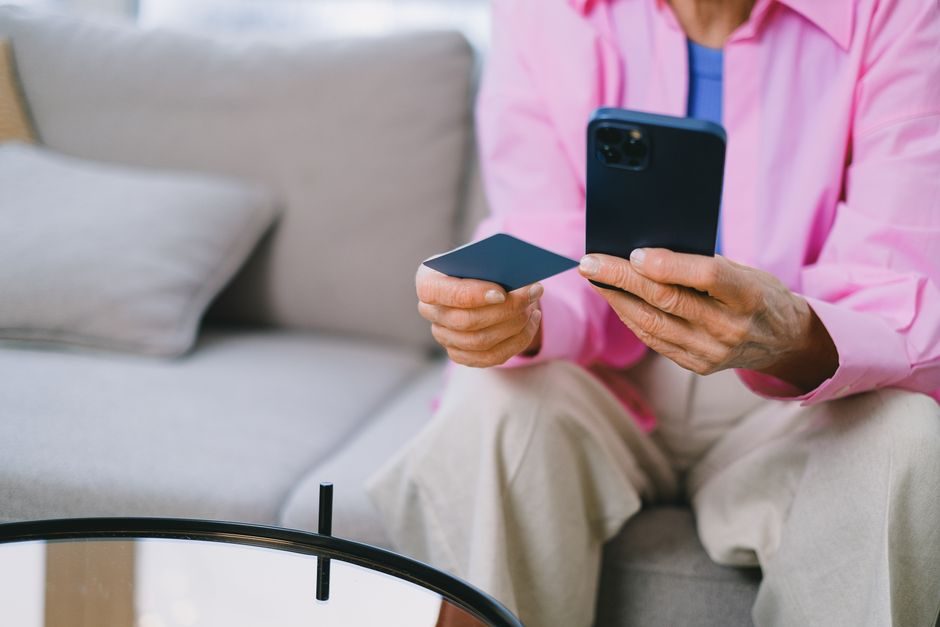
Protect banking access with a unique password or passcode and the strongest sign-in options your bank offers. Turn on biometric authentication if it is available and appropriate for your device, but keep a strong screen lock as well. Never store your PIN or password in an unprotected note, message or photo that someone could find on your phone.
- ☐ Enable a secure screen lock and hide lock-screen message previews.
- ☐ Update your banking app and phone software.
- ☐ Turn on alerts for account activity.
- ☐ Save your bank’s official reporting channel.
Enable transaction alerts so you can spot activity you did not make and respond without delay. Keep your mobile number and email address up to date with the bank, because outdated contact details can prevent you from receiving security notifications. Review account activity regularly and report unfamiliar transactions using the bank’s official app, website or phone number.
Lock your SIM with a secure PIN if your mobile operator provides that option, and protect your mobile account against unauthorised SIM replacement. A criminal who takes over your number may receive messages intended for you. If your phone suddenly loses network service without a clear reason, contact your operator and bank through another trusted phone as soon as possible.
- Set a strong phone screen lock.
- Use unique banking and email passwords.
- Turn on transaction alerts.
- Keep bank contact details current.
Keep the App Environment Safe
Install your bank’s app only from the official app store linked from the bank’s website. Check the publisher and avoid lookalike apps promoted through unsolicited messages or search advertisements. Do not use a link sent by a caller to install an app, because it may lead to software that captures information or gives another person access.
Review app permissions and remove access that a banking or utility app does not need. Be especially cautious with permissions that allow an app to read notifications, control the screen or operate other apps. If a support contact asks you to change these settings during a call, stop the conversation and verify the request directly with your bank.
When a transaction looks wrong, act quickly: contact your bank using its official channel and ask it to secure the account and block affected payment access. Change compromised passwords from a trusted device, preserve messages and transaction details, and report suspected financial cybercrime through India’s official reporting channels. Prompt action may help the bank investigate, though it cannot guarantee recovery.
Compare Currency Costs for Cross-Border Transfers
Compare The Full Amount
Before sending money abroad, compare the amount the recipient will receive, not just the exchange rate displayed on a screen. A bank or transfer service may apply a conversion margin, a transfer fee, or both. Check whether another bank may deduct a fee after the payment leaves your account, since that can reduce the final amount.
Ask the provider for the exchange rate, every fee, and the estimated amount that will arrive before you authorise the transfer. Compare those details for the same amount and payment method, because card-funded and bank-funded transfers can have different costs. Save the quotation or confirmation so you can check the completed transaction against what you agreed to pay.
When reviewing a proposed payment to Turkey, checking dolar kaç Türk lirası can give you a conversion reference, but it does not verify the recipient or make a transfer safe. Treat any rate page as a comparison aid, not as a guarantee of the rate your bank will apply. Confirm the final terms inside your bank or payment provider's own channel before proceeding.
Verify Payment Details First
Confirm the recipient's name, account details, and country using a trusted source before sending money. A message claiming that bank details have changed should not be treated as proof, even if it arrives in a familiar email thread. Call the recipient using a number you already have, rather than one included in the unexpected message.
For a first payment, consider sending a small amount only if the recipient and the payment purpose are already verified. Check that it arrives correctly before making a larger transfer, while remembering that a successful small payment does not guarantee future messages are genuine. Keep records of the verified details and the payment confirmation.
Be cautious if anyone presses you to act immediately, keep the transfer secret, or ignore a warning from your bank. Pause and contact your bank through its official app or a number on your card or statement. If the request cannot be independently confirmed, do not send the money, even if the explanation sounds urgent.
- Confirm account details through a known contact method.
- Compare total fees and recipient amount.
- Pause when a sender demands secrecy or speed.
What to Do After Suspected Fraud
Contact Your Bank Immediately
If you suspect fraud, contact your bank immediately through its official app, website, or the phone number printed on your card or statement. Ask it to block affected cards, digital banking access, or payment functions as appropriate. Do not use a number supplied in a suspicious call, text, email, or search advertisement.
- Call your bank using an official number or app.
- Ask the bank to block affected access or payment instruments.
- Change exposed passwords from a trusted device.
- Report the incident and save each complaint reference.
If you shared a password or one-time passcode, tell the bank exactly what was exposed and when. Change your banking password using a trusted device, and change it anywhere else you reused it. If you approved a payment, ask the bank whether it can stop, recall, or trace the transaction; recovery is not guaranteed.
For a suspected Indian cyber financial fraud, report it promptly through the National Cyber Crime Reporting Portal or by calling 1930, and keep the acknowledgement details. Also file a complaint with your bank and retain its reference number. Fast reporting can help the relevant teams act, but it does not ensure that funds will be recovered.
Preserve Evidence And Monitor
Keep screenshots, text messages, email headers, call times, transaction references, and bank notifications related to the incident. Do not delete a suspicious message before recording its details, but avoid clicking its links or forwarding it as an attachment. These records can help your bank and reporting authorities understand what happened.
Review recent transactions and account alerts for activity you do not recognise, including small payments that may be overlooked. Check linked cards, standing instructions, and beneficiary lists, then ask the bank to remove or secure any unauthorised entries. Continue monitoring after access is restored, because an intruder may try again using information already exposed.
When reviewing a proposed payment to Turkey, dolar kaç Türk lirası can provide a conversion reference, but it cannot confirm the recipient or make a transfer safe. Verify the recipient independently and rely on your bank's confirmed rate and fees before sending funds. A currency comparison should never delay contacting your bank about suspected account access or an unauthorised transaction.
- Save transaction IDs and complaint references.
- Check linked cards and saved beneficiaries.
- Review alerts and statements for unfamiliar activity.
Common Mistakes That Make Fraud Easier
Treat Urgency As A Warning
Pause whenever a caller or message claims your account will be blocked unless you act immediately. Scammers use urgency to make people disclose passcodes, install remote-access tools, or approve payments without checking. End the conversation and contact your bank using a channel you choose yourself.
Never share a one-time password, PIN, full password, or card security code with someone who contacts you, even if they claim to be bank staff. A genuine bank will not need you to read out a passcode to prove your identity or reverse a transfer. If you have already disclosed one, tell your bank promptly and follow its instructions.
A message can look convincing because it uses a bank logo, familiar wording, or a similar-looking sender address. Those details do not establish who sent it. Avoid opening unexpected attachments or signing in through a message link; instead, open the official banking app or type the bank's known website address yourself.
Avoid Unsafe Device Shortcuts
Do not use public Wi-Fi for sensitive banking if you can wait for a trusted connection or use mobile data. A familiar network name does not prove that a hotspot is legitimate. If you must connect, avoid financial transactions and never ignore a browser or app warning about an unsafe connection.
Avoid installing an app or screen-sharing tool at the request of an unsolicited caller, message, or pop-up. Remote access can expose what appears on your screen and may let another person interfere while you use your bank app. If you already installed such software, disconnect the device from the internet and contact your bank from another trusted device.
Do not leave banking sessions open on a shared or borrowed device, and do not save passwords in a browser that other people can access. Sign out when finished and remove any downloaded account statements from shared storage. For a device you do not control, use it only to find the bank's official contact details, not to move money.
- Avoid banking over untrusted public Wi-Fi.
- Reject unsolicited requests to install remote-access tools.
- Sign out and clear sensitive files on shared devices.
Build Safer Online Banking Habits
Make Routine Checks Count
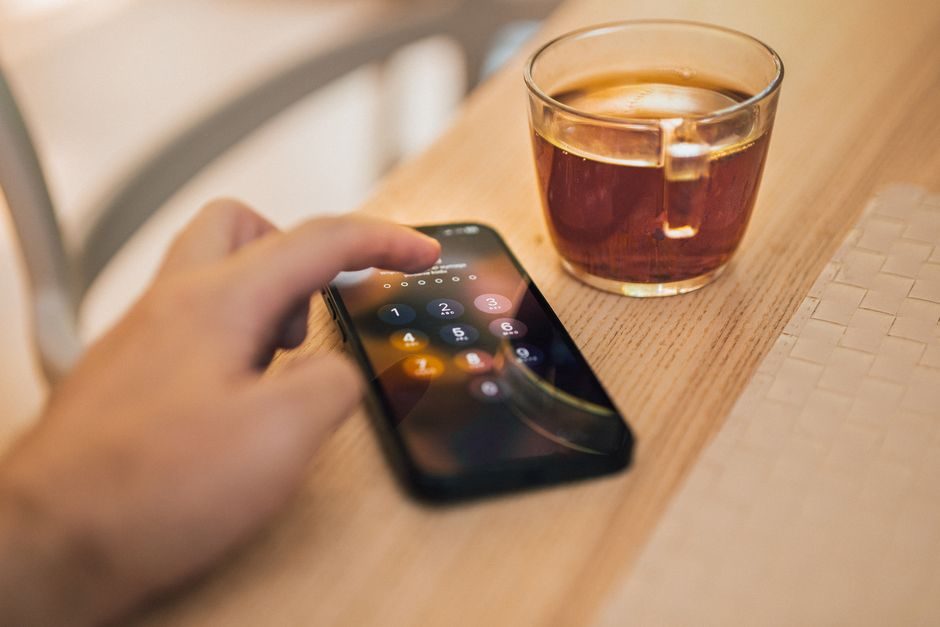
Turn on transaction alerts through your bank's official app or website, and choose notifications for payments, transfers, and changes to account settings where available. Alerts can help you spot activity early, but they do not replace reviewing your account. Check statements and recent transactions regularly, including small debits and unfamiliar recurring payments.
Use a unique, strong password for banking and protect it with a password manager if you use one. Add multi-factor authentication when your bank offers it, and keep your registered phone number and email address current so you receive security messages. Never approve a sign-in prompt that you did not initiate, even if repeated prompts become irritating.
Install operating system and banking app updates from the device's official app store, and remove apps you no longer use. Set a screen lock and enable device-finding or remote-wipe features where available. If your phone is lost, contact your mobile provider and bank promptly, particularly if the device can receive banking codes or payment alerts.
Prepare For Account Recovery
Keep your bank's official fraud contact details somewhere you can reach if your phone is lost or banking access stops working. A saved number on a separate device or a paper note stored safely can be more useful than searching online during an urgent incident. Never rely on a contact number sent by an unexpected caller.
Review which phone number and email address your bank uses for security notices, and update them through verified banking channels if they are outdated. Protect those email and mobile accounts with separate passwords and available security controls, because access to either may help someone reset banking credentials. Tell your bank if your SIM card suddenly stops working.
Agree on a simple verification routine with family members who may help you manage payments. For example, confirm an unusual request by calling the person on a known number rather than replying to the message that made the request. Keep the routine practical and private; sharing account credentials is not a safe way to provide assistance.
- Store official bank contact details safely.
- Keep registered contact information current.
- Verify unusual family payment requests by calling back.
Frequently asked questions
Will my bank refund money lost to an online scam?A refund is not automatic and depends on the transaction, the circumstances, the bank's investigation, and applicable rules. Report the incident to your bank as soon as possible, ask how to file a formal complaint, and provide transaction details and evidence. If you disagree with the bank's response, follow its grievance process and check the appropriate escalation route available to Indian customers.
Should I change my password after clicking a suspicious link?If you entered your password or other login details on a page reached through a suspicious link, contact your bank immediately and change the password using its official app or website on a trusted device. Change it on any other account where you reused it. If you only opened the link without entering information, close it, avoid further interaction, and watch for unusual account activity.
How can I tell whether a bank message is genuine?A logo, sender name, or polished wording is not enough to prove a message is genuine. Avoid using its links or phone numbers; open your bank's official app or contact the bank using a number on your card or statement. Treat requests for passcodes, passwords, remote access, or urgent transfers as warning signs, and verify any account problem independently.
What should I do if my phone with banking access is lost?Contact your bank through another device or an official phone number and ask it to secure digital banking access and affected cards. Contact your mobile provider to block the SIM and follow the device maker's steps to lock or erase the phone if possible. Change exposed passwords from a trusted device, then review account activity and report any transaction you do not recognise.
Make A Response Plan Before You Need One
Online banking safety depends on both prevention and a quick, organised response. Verify payment requests through a channel you trust, keep credentials private, and use alerts to spot unfamiliar activity. For international transfers, compare the full cost and independently confirm who will receive the money; a displayed exchange rate cannot establish that a payment request is legitimate.
Take one practical step now: save your bank's official fraud contact details somewhere separate from your phone, then check that transaction alerts are enabled. If anything seems wrong later, contact the bank immediately, preserve messages and transaction records, and report suspected cyber financial fraud through the proper Indian channels. Acting promptly gives the bank useful information while it assesses what can be done.

Add Asian Cuisine as a preferred source on Google


