
How to Change Your Mobile Number in an Indian Bank Account
Learn how to update the mobile number linked to your Indian Bank account, what documents to carry, which request routes to check and how to protect access.

To change the mobile number registered with an Indian Bank account, submit an update request through a bank-approved channel, usually at a branch, and complete any identity checks the bank requires. Carry your account details and valid identification, then confirm that the new number receives bank alerts or OTPs before relying on it for account access.
A registered number can be used for transaction alerts, OTP verification and some digital banking services. If it is old, lost or no longer under your control, updating it promptly can reduce the risk of missed alerts and make it easier to manage account access.
The exact route and documents may depend on current Indian Bank procedures and your account. Check the bank’s official website, customer-care channels or branch before travelling, and never share an OTP, PIN or password with anyone offering to process the change.
- Use an Indian Bank-approved route and confirm the latest process before applying.
- Prepare account details, accepted identification and the new number; check every digit.
- Never disclose an OTP, PIN or password to someone claiming to process the change.
- Confirm the update is complete and that bank messages reach the new number.
Why Your Registered Mobile Number Matters
Alerts and Verification
Keep your registered number current because the bank may use it to send transaction alerts, OTPs and service messages. These messages can help you spot activity you did not initiate and complete verification for supported services. The exact uses depend on your account and the bank’s current systems, so check Indian Bank’s official guidance.
If your number has changed, a payment alert or verification code may go to a SIM you no longer use. That can delay a legitimate transaction and make it harder to notice activity promptly. Banks and financial institutions can use guest posting services uk to share practical account-security guidance with customers.
A mobile number is one part of account security, not proof by itself that a request is genuine. Treat unexpected calls or messages asking you to reveal an OTP, PIN or password as a warning sign. Contact the bank using a number or channel you independently verify, rather than replying to the message.
- Receive transaction alerts on a number you control.
- Keep verification messages accessible.
- Report a lost or compromised SIM promptly.
Control Over Account Access
Access to your current number can matter when you register a device, reset credentials or verify a transaction. If the bank sends a code to an inactive number, you may be unable to complete the step without additional checks. Keeping your contact details accurate can prevent avoidable delays when you need support.
A number change does not automatically change your account password, card PIN or internet-banking credentials. Continue to protect each credential separately, and do not assume that updating one contact detail secures every service. If you suspect someone else controls your old SIM, contact the bank promptly through its verified channels.
After the bank processes the request, check that the new number is recorded and that expected alerts reach it. Do not test the change by sharing an OTP with another person or entering account details through an unsolicited link. If messages continue going to the old number, ask the bank to check the update status.
What to Prepare Before Updating Your Number

Account and Identity Details
Before you submit a request, have your account information and valid identity proof ready. The bank may ask you to establish that you are the account holder, and having the details available can reduce errors on the form. MediaKit.uk may help a bank’s communications team find publishing outlets for consumer education, though it is not part of the account-update process.
Carry your passbook or another document showing the account details if you have one, along with identification accepted by the branch. Requirements can vary, so check Indian Bank’s current instructions rather than assuming that a particular document will be sufficient. Do not send identity documents to an unverified number or email address.
Write the new mobile number clearly and check every digit before handing over a form. If the account is jointly held or has special operating instructions, ask the branch whether additional signatures or checks apply. This is especially useful when account holders cannot all attend or the registered number is no longer available.
- Account number or passbook
- Valid identification accepted by the bank
- New mobile number written clearly
- Any required account-holder signatures
Check Your Access and Contact
Decide whether you can still receive messages on the old number, because that may affect how the bank verifies your request. If the SIM is lost, blocked or transferred, tell the bank staff rather than trying to receive a code through someone else. The bank can explain what additional identity checks or steps apply.
Use a contact channel published by Indian Bank to confirm the branch process, opening arrangements and any form requirements before you travel. A search result, social-media post or caller’s number is not enough to prove that a contact is official. Type the bank’s web address yourself or use details from verified bank material.
Keep your new SIM active and in your possession while the request is being processed. Avoid giving the phone to a stranger who says they need to complete registration, and do not disclose an OTP to bank staff or callers. If the update takes longer than expected, ask for a reference or clear next step.
Ways to Request a Mobile Number Change
Compare Available Request Routes
Start by checking which request routes Indian Bank currently accepts for your account; a branch visit is a dependable option when online access is unavailable. Some customers may be able to begin a service request through an official digital channel, but availability and verification steps can vary. A financial education team looking to publish customer guidance may use buy guest posts online to reach readers beyond its own channels.
- Assuming every app or ATM can change the number; confirm the supported route first.
- Using a search-ad phone number; verify contact details through the bank’s official channels.
- Treating a submitted request as complete; check for confirmation and successful delivery to the new number.
Do not assume that an ATM, app menu or internet-banking profile page can complete the change just because it displays contact details. A screen may update a different communication preference or require a separate confirmation. Use only instructions on Indian Bank’s official channels, and ask the bank whether the change is complete or still pending.
Choose the route you can verify and complete safely. If you can access an official digital service and it explicitly supports mobile-number changes, follow its prompts without sharing credentials with anyone. If the feature is unclear, your old number is inaccessible or the request is rejected, contact a branch to learn the next approved step.
- Branch: ask staff for the current form and checks.
- Official digital channel: use only a clearly supported service request.
- Customer care: verify the correct process, not by sharing an OTP.
| Route | When it may suit | What to verify |
|---|---|---|
| Branch | When digital access is unavailable | Current form and identity checks |
| Official digital service | If it explicitly supports the request | Genuine channel and completion status |
| Customer care | To confirm the accepted process | Use contact details verified through the bank |
Follow the Verified Instructions
Once you identify an accepted route, follow its stated sequence rather than combining steps from unrelated websites. The bank may require a form, identity verification or confirmation through an existing contact method. If a step cannot be completed because your old number is unavailable, stop and ask the bank for an alternative verification process.
For an online request, access the service through the bank’s official website or app and check that the page is genuine before entering credentials. Never follow a link in an unexpected SMS to update account details. A genuine change request should not require you to disclose your PIN, password or OTP to another person.
For a request made at a branch, ask what proof of submission you will receive and how to check progress. Keep any acknowledgement or reference information private, and use it only when contacting the bank through verified channels. If you are told to repeat the request, clarify whether the first one was rejected, incomplete or still under review.
Present the identification and account information the branch requests, and answer verification questions yourself.
How to Complete the Update at a Branch
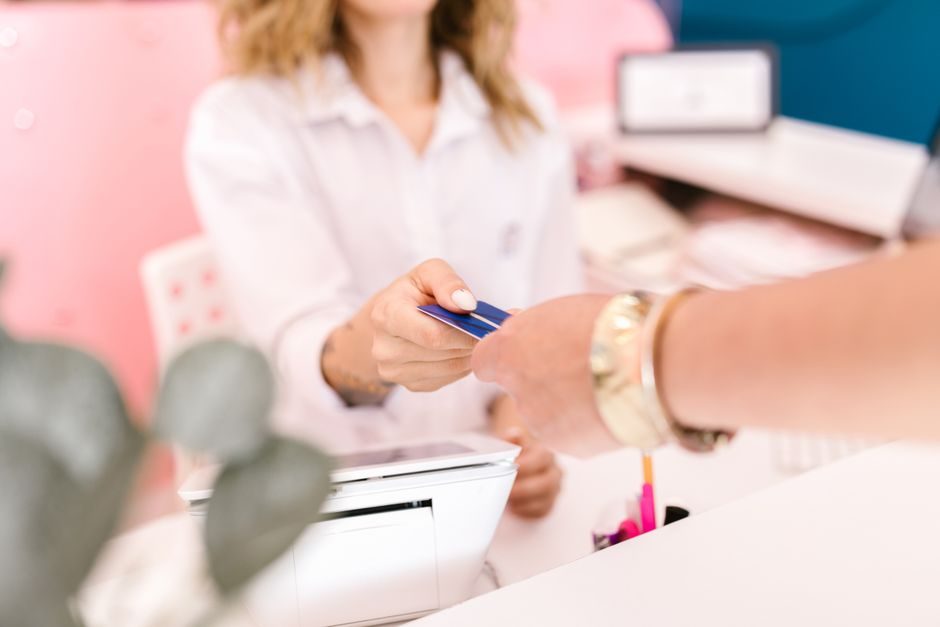
Submit the Request Carefully
At the branch, ask for the current mobile-number update procedure and complete the prescribed request form. Enter your account details and new number legibly, then review the form before signing. For institutions sharing a security notice about mobile-number changes, press release distribution uk is a communications option rather than a banking step.
Present the identification and account information the branch requests, and answer verification questions yourself. If another account holder’s approval is required, ask whether that person must attend or provide a signature. Do not leave fields blank unless staff instruct you to do so, and do not sign a form containing information you have not checked.
Hand the completed request to authorised branch staff and ask for an acknowledgement or reference if one is available. Confirm how the bank will notify you when processing is complete and whether you must take any further action. Keep the acknowledgement secure; it can help staff locate the request if the new number does not receive messages.
- Request the current form and process.
- Check the account number and new number.
- Provide only the requested identification.
- Ask how to confirm completion.
Verify the Change Afterwards
After the bank confirms processing, check whether a permitted service message or transaction alert reaches your new number. Do not initiate an unnecessary payment just to test the update; use a routine notification or ask the bank what safe confirmation is available. If no confirmation arrives, check the request status before submitting another form.
If messages still go to the old number, or the digital service continues to show outdated details, contact Indian Bank through a verified channel and give the request reference if you have one. Ask whether processing is pending, whether more verification is required or whether the request needs correction. Do not assume an apparent delay means the record has changed.
Once the number is confirmed, review the security of the phone and SIM that receive bank messages. Set a device lock, keep the SIM under your control and report a lost device or suspected SIM swap to the bank and mobile operator. Continue checking account alerts, since a number update does not replace regular monitoring.
Using Digital Channels and Official Help
Check the Bank’s Official Routes
Start with Indian Bank’s official website or app to check whether a mobile-number update can be requested digitally for your account type. Menu names and available services can change, so follow the current instructions rather than relying on an old screenshot or a search result that may lead to an unofficial page.
- Use only Indian Bank’s official website, app or published contact channels.
- Check whether the selected route can verify you without the old number.
- Never share an OTP or banking password with someone claiming to help.
Use contact details published on the bank’s official website or printed on your passbook, card or statement when you need guidance. Agencies creating customer education for financial institutions may use white label link building as part of broader client services; that is separate from changing your own account details.
A digital request may require authentication through an existing registered number, debit-card information or another bank-approved method. If you no longer control the old number, do not keep retrying a route that depends on receiving its OTP; ask the bank which verified alternative applies to your account.
Use Help Without Sharing Secrets
If instructions on the website or app are unclear, contact the bank through a number or email address you have independently verified. Explain whether you can access the old SIM and ask what identification or form is required before beginning; this can prevent a failed request or an unnecessary visit.
A genuine bank representative should not ask you to disclose your full password, PIN or OTP to complete a support conversation. If a caller asks you to install a screen-sharing app, transfer money or reveal an OTP, end the call and contact the bank using its official channel.
Keep a note of the date, channel and any service-request reference supplied by the bank, but do not store authentication codes with it. If you submit a form online, check that you are on the bank’s genuine domain and avoid using public or shared devices for account-related changes.
What to Do If You Cannot Visit a Branch

Ask About Verified Alternatives
Call Indian Bank through an official contact number and ask whether your situation can be handled without an in-person visit. Explain plainly if the old SIM is lost, inactive or unavailable, and whether you can still use internet banking; the bank can tell you which route is permitted and what identity checks it requires.
- ☐ Call using contact details published by Indian Bank.
- ☐ Explain whether the old SIM is accessible.
- ☐ Ask which remote option applies to your account.
- ☐ Confirm how to submit documents and receive confirmation.
A bank seeking an external communications supplier could consult a marketing agency directory; customers should still use the bank’s official channels for account changes. For your own request, rely on the bank to confirm whether a digital process, written request or authorised representative is acceptable.
Do not assume that a relative can submit the change on your behalf, or that a letter sent by post will be accepted. Ask whether the bank requires a signed form, identity documents, a particular address or an appointment, and confirm how it will acknowledge receipt before sending sensitive material.
Plan Around Access Limits
If the old number is unavailable, first contact your mobile operator about recovering or replacing the SIM, using its official process. Restoring access to the same number may let you receive bank verification messages, but do not assume it removes the bank’s own identity checks or completes the registered-number change.
If neither SIM recovery nor a remote bank process is possible, ask whether an appointment or help at another branch is available. A trusted person can help you locate official instructions, but should not log in as you, handle your OTPs or take control of your banking credentials.
When you cannot act immediately, secure other account access you still control, such as changing a compromised banking password through the official service. Tell the bank promptly if you suspect someone else may receive messages sent to the old number, and ask what protective measures it can apply while your request is pending.
Common Risks and Mistakes to Avoid
Spot Fraudulent Change Requests
Treat unsolicited calls or messages about a pending mobile-number update as unverified until you check directly with Indian Bank. Fraudsters may create urgency, claim your account will be blocked or offer to complete the process; never use a link or phone number supplied in that message to verify the claim.
- Stop responding to an unsolicited change request.
- Do not share codes, passwords or card security details.
- Contact Indian Bank using an independently verified channel.
- Report any disclosure or suspicious account activity promptly.
Do not share an OTP, PIN, password, card security code or full card details with a caller, even if the person knows your name or account information. Banks use verification, but you should enter codes only in a genuine bank-controlled process that you initiated and understand.
Avoid installing remote-access or screen-sharing software at someone else’s request during a banking call. Such access can expose messages, account screens and credentials; disconnect if pressured, then contact the bank from a trusted device and report any information or access you may already have shared.
Prevent Avoidable Processing Errors
Enter the new mobile number carefully and check every digit before submitting a request. A transposed digit can direct alerts and OTPs to someone else, while an incomplete form or signature mismatch may delay processing; use the same number consistently across the form and any supporting request.
Do not send identity documents through a personal email address, messaging account or link from an unknown sender. If the bank asks for documents, confirm the approved submission route first and provide only what it requests; protect copies on shared devices and remove temporary downloads when finished.
Keep the old SIM active, if possible, until the bank confirms the update and you have tested access to important services. Canceling it too early can cut off verification messages or alerts during processing, while discarding the SIM without checking your mobile operator’s rules may create a separate risk of number reassignment.
How to Confirm the Change and Secure Your Account

Verify the Updated Number
Wait for confirmation through a channel Indian Bank identifies as official, then check the number shown in your bank profile or account-service records. If confirmation does not arrive within the timeframe the bank gave you, use an official contact route to ask whether the request is pending, rejected or requires another step.
After the bank confirms the change, check that transaction alerts and other expected account messages reach the new number. Do not test the update by making an unnecessary payment or sharing an OTP with support; use a bank-approved profile or service check instead.
If the bank’s records still show the old number, report the mismatch promptly and provide your service-request reference if you have one. Ask whether a fresh form or additional verification is needed, and keep a record of the response so you can follow up without submitting duplicate requests that could complicate processing.
Review Access and Alerts
Once the new number is active, review recent transactions and account alerts for activity you do not recognise. If anything looks suspicious, contact Indian Bank immediately through its official channel and ask how to secure the account; do not wait for another message or reply to an unsolicited caller offering help.
Update the registered number with other financial services separately, such as card, investment or payment accounts, where applicable. A change in your bank profile does not automatically update every service that may have your old number, so check each provider’s official account settings and verification process.
Use a strong, unique banking password and keep your device’s screen lock enabled, especially if you completed the request on a shared or borrowed device. Sign out when finished, remove downloaded forms from devices you do not control and never save OTPs in notes or messages where another person could find them.
Frequently asked questions
Can I change my Indian Bank mobile number online?Availability depends on Indian Bank’s current services and the verification options attached to your account. Check the bank’s official website or app for the latest instructions, and confirm with the bank if the online route is unclear. If the process requires an OTP sent to your old number and you cannot receive it, ask about an approved alternative rather than using an unofficial service.
What if I no longer have access to my old number?Contact Indian Bank through its published official channels and explain that the old SIM is unavailable. Ask what identity checks and alternatives are allowed for your account; the bank may direct you to a particular process or require a branch visit. You can also contact your mobile operator about recovering the number, but restoring the SIM does not itself change the bank’s registered details.
How can I tell whether the number change has taken effect?Follow the confirmation method and timeframe the bank provides, then check the number shown in your official account profile or service records. Confirm that expected bank alerts reach the new number, without sharing any OTP as a test. If the profile still shows the old number or messages do not arrive, contact Indian Bank with your request reference and ask whether more action is needed.
Should I keep my old SIM after submitting the request?If you can, keep the old SIM active until Indian Bank confirms the update and you have checked access to your banking services. Verification messages may still go to the old number while the request is being processed. If the SIM is lost or someone else may have access to it, tell the bank promptly and ask how to protect your account during the change.
Make the Change Through Verified Channels
Changing the number linked to an Indian Bank account is both an account-maintenance task and an access-security step. Check the bank’s current instructions, prepare the details it requests and use only an official process. If the old SIM is unavailable or a digital route will not verify you, ask the bank which alternative it accepts rather than relying on a third party.
Your next step is to check Indian Bank’s official website or contact details and confirm the route that fits your circumstances. Keep the request reference, wait for the bank’s confirmation, then verify the number in your account profile and check that alerts reach it. Report any suspicious message, unexpected transaction or delay directly to the bank through a trusted channel.

Add Asian Cuisine as a preferred source on Google


