
How Credit Card Bill Payments Work and How to Avoid Mistakes
Learn what your credit card bill includes, how payments affect balances, which payment methods you can use and how to avoid interest or missed dues.

A credit card bill lists the amount you owe, the payment due date and the minimum amount due. Pay the full statement balance by the due date to avoid interest on ordinary purchases, subject to your card’s terms. A payment below the full balance reduces what you owe, but the remaining amount can attract interest.
The bill usually covers transactions made during a statement period, along with fees, interest, refunds and any previous unpaid balance. The minimum due can help keep an account from becoming overdue, but it is not a low-cost alternative to clearing the full bill.
You can pay through your bank’s app or website, a card issuer’s app, UPI, NEFT or other options offered by your issuer. Check the posted payment status, allow time for processing and keep the receipt until the payment appears on your account.
- Pay the full statement balance by the due date to avoid carrying purchase debt and related interest.
- The minimum amount due is a fallback, not a substitute for paying the full bill.
- Use an issuer-supported method, allow for processing time and verify that the payment posts.
- Keep receipts and references until payments and any corrections appear on your account.
What a credit card bill includes
Reading the statement summary
Start with the statement balance and due date: together, they tell you how much to pay and by when. The statement balance is the total billed at the end of the cycle, while the current balance may also include newer transactions made after that date. Paying the statement balance in full by the due date is the clearest way to avoid purchase interest.
The statement period shows which transactions were included in that bill. A purchase made just after the cycle closes will generally appear on a later statement, not the one you have just received. Check the opening and closing dates before comparing the bill with recent spending, especially if a payment or purchase seems to be missing.
Look for the minimum amount due, any previous balance and the payment due date near the summary. These figures serve different purposes: the minimum is the smallest amount requested to keep the payment from being treated as missed, while the previous balance shows what carried forward. Do not assume that paying only the minimum clears the bill.
Charges, credits and fees
Review the transaction list for purchases, cash advances, fees, interest and payments. A refund or payment usually appears as a credit that reduces the amount owed, but its timing can affect whether it shows on the current statement or a later one. If a listed transaction is unfamiliar, compare its date and description with receipts before raising a dispute.
Fees may arise from card use or account terms, such as a late payment or cash advance charge. Interest can also appear when a previous balance was not paid in full, and cash advances may have separate terms from purchases. Read the fee and interest entries alongside the issuer’s schedule rather than treating every charge as a purchase.
A payment made after the statement is generated may not be reflected in the printed statement total. Check the account’s latest balance and payment history before paying again, so you do not mistake a timing difference for a missing payment. If the figures still do not reconcile, contact the issuer through an official channel and retain the statement and transaction details.
- Match unfamiliar purchases to receipts.
- Check whether a refund has posted.
- Review interest and fee entries.
- Compare recent payments with account history.
How a payment is applied to your balance
Minimum due and full payment
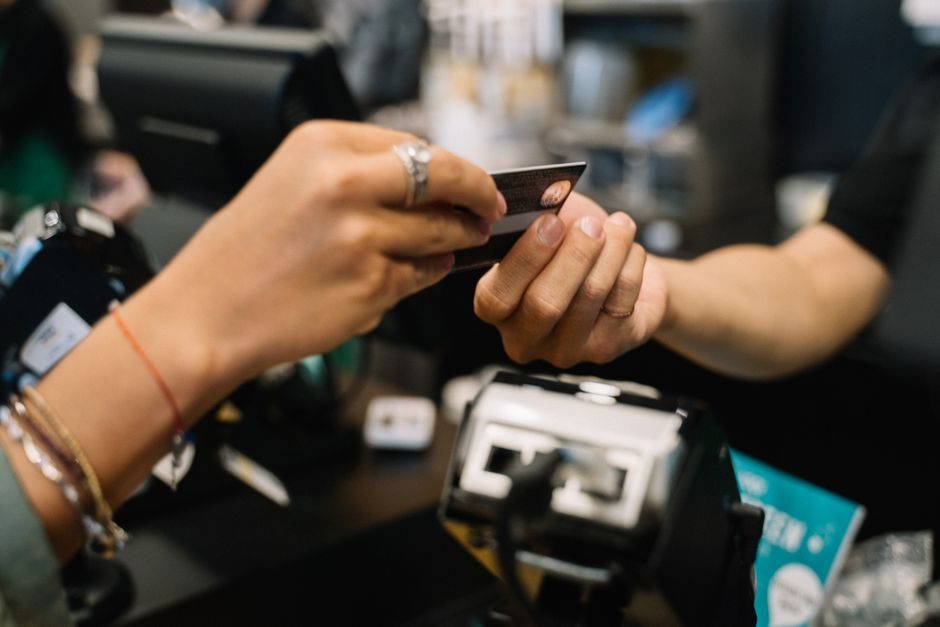
Paying the full statement balance by the due date generally prevents interest on ordinary purchases, as long as you have not already lost the interest-free period under your card’s terms. The minimum amount due is only the smallest required payment for that bill. Any unpaid balance can continue to attract interest and make later bills harder to clear.
The minimum may include a portion of the balance, applicable fees, interest or amounts carried from earlier bills, according to the issuer’s calculation. Its exact formula varies, so check the card’s terms and the figure printed on your statement. Treat it as a fallback when you cannot pay more, not as a target for routine monthly payments.
For example, paying the minimum on a bill with new purchases leaves much of the statement balance unpaid. Interest may then accrue, and new purchases may no longer receive the same interest-free treatment until the outstanding amount is cleared, depending on the card terms. Paying more than the minimum reduces the balance, but only full payment avoids carrying ordinary purchase debt.
Payment allocation and timing
When you pay less than the total outstanding amount, the issuer allocates your payment according to its card terms and applicable rules. Different balance types, such as purchases, cash advances and instalment amounts, may be treated differently. Check the issuer’s explanation of allocation if you carry more than one type of balance, because the order can affect how quickly interest-bearing amounts fall.
A payment instruction is not always the same as a posted payment. Bank transfers and other channels may take time to reach the card account, and payments made near a due date can be vulnerable to processing delays. Initiate payment early enough for the issuer to receive and credit it on time, allowing for weekends, holidays and the method’s stated processing window.
After paying, look for a successful transaction status and then confirm that the card account reflects the credit. A confirmation from the bank sending the money may show that the instruction was accepted, not that the card issuer has posted it. Keep the reference number and receipt until the payment appears in the card’s transaction history and the outstanding amount changes.
- Check the issuer’s payment allocation terms.
- Pay ahead of the due date.
- Save the transaction reference.
- Confirm the credit appears on the card account.
Ways to pay your credit card bill
Digital payment channels
Choose a payment channel that your card issuer supports and that gives you a clear confirmation. Common options include the issuer’s app or website, your bank’s bill-payment service, UPI and NEFT. Follow the instructions for the specific card, and check that the biller or card account details match before authorising a transfer.
An issuer app or website can make it easier to see the amount due and confirm the card being paid. A bank’s bill-payment service may suit someone who already manages accounts there, while UPI can be convenient when the issuer supports card bill payments through that route. Small businesses that take card payments may find Seo Services useful alongside choosing how customers can pay.
For NEFT or another bank transfer, use the exact beneficiary details and reference information supplied by the issuer. An incorrect card number or beneficiary can delay allocation or send the payment to the wrong place. Before submitting, compare the payee details with the issuer’s official instructions, then save the transfer reference and check the card account for posting.
| Method | Useful when | Check before paying |
|---|---|---|
| Issuer app or website | You want bill details and payment status together | Confirm the card and amount |
| Bank bill-payment service | You already use the bank’s online services | Check the payment processing time |
| UPI | Your issuer supports card bill payments by UPI | Verify the biller and card details |
| NEFT | You prefer a bank transfer | Use the issuer’s exact beneficiary instructions |
Choosing a channel that fits
Use the method that is both available for your card and practical for your timing. An issuer’s own app may show the bill and payment status in one place, while a bank transfer can work well when you already use that bank’s online services. Confirm processing times rather than assuming every channel credits the account instantly.
Autopay can reduce the risk of forgetting a due date, but check whether it is set for the total amount due or only the minimum. Keep enough funds in the linked account and review the debit after it is scheduled. If you use a manual method instead, set a reminder before the due date and allow time for processing.
Avoid switching channels at the last moment if you are unsure how they work. A payment made through a new route may take longer to reflect, and repeating it without checking can create an unnecessary duplicate payment. Use one traceable method, keep its confirmation and look at the card account before attempting another payment.
- Confirm the channel supports your card.
- Check whether autopay covers the full balance.
- Allow time for processing.
- Verify posting before paying again.
A convenient channel is not automatically the safest choice if you cannot confirm where the money is going.
Choosing a payment method and keeping records
Match the method to your needs
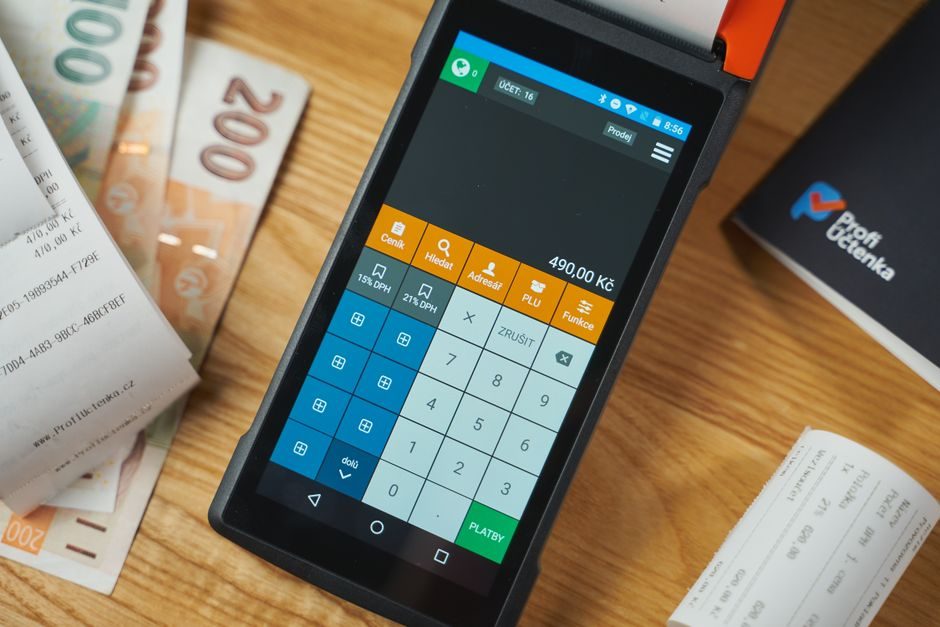
Choose a payment method based on its processing time, available confirmation and how easily you can verify the card details. If the due date is close, use a channel whose expected timing you understand and initiate payment as early as possible. For a Leicester business that accepts card payments, Leicester Seo Services can help local customers find accurate payment information.
- ☐ Confirm the payment channel is supported by the issuer.
- ☐ Check the card or biller details before authorising.
- ☐ Allow for the channel’s processing time.
- ☐ Keep the receipt until the payment posts.
A convenient channel is not automatically the safest choice if you cannot confirm where the money is going. Use the issuer’s official app, website or payment instructions, and avoid links or requests received through unsolicited messages. Before authorising, check the card account or biller details and the amount, then use the bank’s normal security checks.
Make sure the method suits your payment routine as well as the deadline. Someone who checks a banking app daily may prefer manual payments, while a person who often forgets dates may consider autopay after confirming its settings. Whichever route you choose, keep a backup way to pay in mind in case the usual app or service is unavailable.
Keeping proof and fixing errors
Save the payment confirmation, reference number and date until the credit appears on your card account. These details help the issuer trace a transfer if it is delayed or allocated incorrectly. A screenshot can be useful, but make sure it does not expose sensitive account information when stored or shared.
If the payment has not posted, first check the sending account to see whether the money was debited and review the channel’s status. Compare the reference and card details with the issuer’s instructions, then contact the bank or card issuer through an official number or app. Do not immediately send a second payment unless you have checked whether the first is pending.
For a disputed transaction or an amount that does not match your records, gather the statement, receipt and relevant payment reference before contacting the issuer. Describe the specific date and amount, and ask what action is needed while the query is reviewed. Keep a note of the response and continue monitoring the account so a valid due amount is not overlooked.
- Retain the confirmation and reference.
- Check debit and payment status before retrying.
- Contact the issuer through an official channel.
- Keep statements and receipts for disputed entries.
What happens if you pay only the minimum
How the minimum is calculated
The minimum due is the smallest amount your issuer requires by the payment deadline to keep the account from being treated as unpaid. Your statement shows the exact amount and how to pay it; the calculation can include a portion of the balance, interest, fees and any overdue amount, depending on your card’s terms.
Paying this amount can help you avoid a missed-payment mark, but it does not clear the bill. For example, if your statement balance is much higher than the minimum, the remaining amount stays on the account and may attract interest under the issuer’s terms.
Check your statement rather than relying on a remembered formula, because the minimum can change from one billing cycle to another. If you have missed a previous payment or incurred fees, the amount due may be higher than usual; contact your issuer if the figure is unclear.
Why balances take longer to clear
When you pay only the minimum, most of the outstanding balance remains unpaid, so it can take a long time to repay and cost more in interest. New spending adds to that balance, making it harder to see progress even when you have paid the amount shown as due.
For instance, a cardholder who pays the minimum but continues using the card may find that the next statement still shows a large balance. The exact interest depends on the card’s terms and payment timing, so use the issuer’s statement or calculator to understand what a payment above the minimum would change.
Aim to pay the full statement balance by the due date when you can, while keeping enough money available for essential expenses. If that is not possible, pay more than the minimum where feasible, stop adding avoidable purchases, and ask the issuer about options before the balance becomes difficult to manage.
Common payment mistakes and how to avoid them

Errors in amount or details
Before confirming a bill payment, match the card account details and amount against your latest statement. A wrong account reference, a misplaced digit or selecting an old saved biller can send money to the wrong destination or delay its credit to your card.
- Verify the account details before sending money.
- Keep proof of every payment.
- Contact the issuer quickly if a payment goes astray.
Check whether the payment screen asks for the card number, customer ID or another reference, and enter only what your issuer specifies. If a saved payee has changed or you are paying through a new channel, verify the details in the bank or card issuer’s official app rather than copying an unconfirmed message.
Keep the confirmation screen or transaction reference until the payment appears in your card account. If you spot a mistake, contact the bank or issuer promptly with the transaction details; do not assume that a second payment will automatically cancel or correct the first one.
- Match the account reference to your statement.
- Review the amount before confirming.
- Save the transaction reference.
Delays and duplicate payments
A payment instruction is not always the same as a payment credited to your card, and processing time can vary by channel, bank and holiday schedule. Starting a transfer close to the due date can therefore leave too little time for it to reach the card account.
Check the expected processing time shown by the payment service and submit the payment early enough to allow for delays. If the due date is near and the payment status is unclear, contact your issuer using its official channel and ask whether it has received the funds.
Avoid sending another payment simply because the first one has not appeared immediately. First check the transaction status and your bank account; if both show a completed debit but the card balance has not updated, share the reference with the issuer and ask how it will be traced.
Practical habits for paying on time
Build a reliable routine
Set a reminder several days before the due date, then check the statement and available bank balance before making the payment. This routine gives you time to correct an error, move funds or choose another payment channel if your usual method is unavailable.
- Check the statement and amount due.
- Choose a verified payment channel.
- Send the payment before the deadline.
- Confirm it appears in the card account.
If your issuer offers an automatic payment facility, read its terms and confirm whether it pays the minimum, a fixed amount or the full statement balance. Keep sufficient funds in the linked account, and continue checking statements because an automatic instruction does not catch unfamiliar charges or billing errors.
Businesses that serve customers in a particular area may use Local Seo Services to keep their online business details consistent and easy to find. For your personal card bill, the comparable habit is to use the issuer’s verified payment channel and keep your contact details current so important account notices reach you.
- Set a reminder before the due date.
- Check the bill and linked account balance.
- Confirm what any automatic payment covers.
- Review the account after payment.
Keep a clear payment record
Save the statement, payment confirmation and any message from your issuer in one place, such as a secure digital folder. A clear record helps you compare the amount paid with the amount due and makes it easier to explain a delay or discrepancy.
After paying, check the card account to confirm that the credit has posted and the remaining balance looks reasonable. If the payment is shown as pending, note the date and reference rather than treating it as cleared; follow up if it remains unresolved beyond the channel’s stated processing time.
Review each statement for unfamiliar transactions, fees or a payment that has not been credited. Raising a specific query with the transaction date, amount and reference is more useful than reporting only that the bill looks wrong, and it gives the issuer details to investigate.
When to contact your card issuer

Unrecognised charges or wrong balances
Contact your issuer promptly if a transaction is unfamiliar, a payment is missing after the expected processing period, or the balance does not match your records. Use the phone number or secure messaging option shown in the official app, card or statement, not contact details in an unsolicited message.
When reporting a charge, give its date, amount and merchant description, and explain whether you recognise the transaction. The issuer can tell you how to raise a dispute and whether the card should be blocked or replaced while it reviews the activity.
Keep a case number and copies of relevant statements or confirmations, and note any response deadline the issuer gives you. Continue paying the undisputed amount by the due date unless the issuer advises otherwise; a dispute does not automatically mean the whole bill can be left unpaid.
Payment trouble or account access
Tell your issuer as soon as you expect difficulty paying, rather than waiting until the due date has passed. It can explain the amount currently due, any applicable charges and whether an available repayment arrangement or other account option may help.
If you cannot access the app or payment page, use another official channel listed on your statement or card and ask how to make a payment securely. Never share a one-time password, PIN or full card credentials with someone who contacts you unexpectedly claiming to resolve the issue.
If a payment has been debited but the issuer cannot see it, provide the bank’s transaction reference and payment date. Ask what evidence it needs and when to check again, then retain the conversation details so you can follow up without repeating the full account history.
Frequently asked questions
Does paying the minimum keep my card account in good standing?Paying at least the minimum by the due date generally helps prevent the bill from being treated as unpaid, subject to your issuer’s terms and successful processing. It does not clear the rest of the statement balance, and interest may continue to apply. Check your statement for the minimum due and contact the issuer if you are unsure how a payment will be treated.
When should I make a payment before the due date?Allow enough time for the payment method to process and for the credit to reach your card account. Timing can differ across channels, banks and holidays, so check the expected processing time rather than assuming every transfer is immediate. Paying early gives you room to resolve a rejected instruction or delay, but still confirm that the payment has posted.
Can I pay more than the statement balance?You can generally make a payment that exceeds the amount shown as due, but check your issuer’s rules and confirm that the payment is directed to the correct card account. An extra amount may create a credit balance rather than being refunded automatically. If you have already paid the bill, ask the issuer how an excess payment will be handled.
What should I do if my payment is missing from the statement?First check the payment status with the bank or service you used and confirm that the funds were debited. Then contact your card issuer through an official channel with the date, amount and transaction reference. Keep paying any undisputed amount by its deadline while the issuer traces the payment, and save the case details for follow-up.
Make every payment easy to verify
The safest approach is to check the statement, pay at least the amount due before the deadline, and aim for the full statement balance when your budget allows. A minimum payment can prevent an immediate missed-payment problem, but it leaves debt outstanding. Verify payment details, allow time for processing and keep the confirmation until the credit appears in your card account.
For your next bill, set a reminder ahead of the due date and review the amount, account details and payment status in the issuer’s official channel. If a charge looks wrong or a payment is delayed, contact the issuer promptly with the relevant records. Acting early gives you more room to fix errors and avoid confusion about what remains payable.

Add Asian Cuisine as a preferred source on Google


